Description
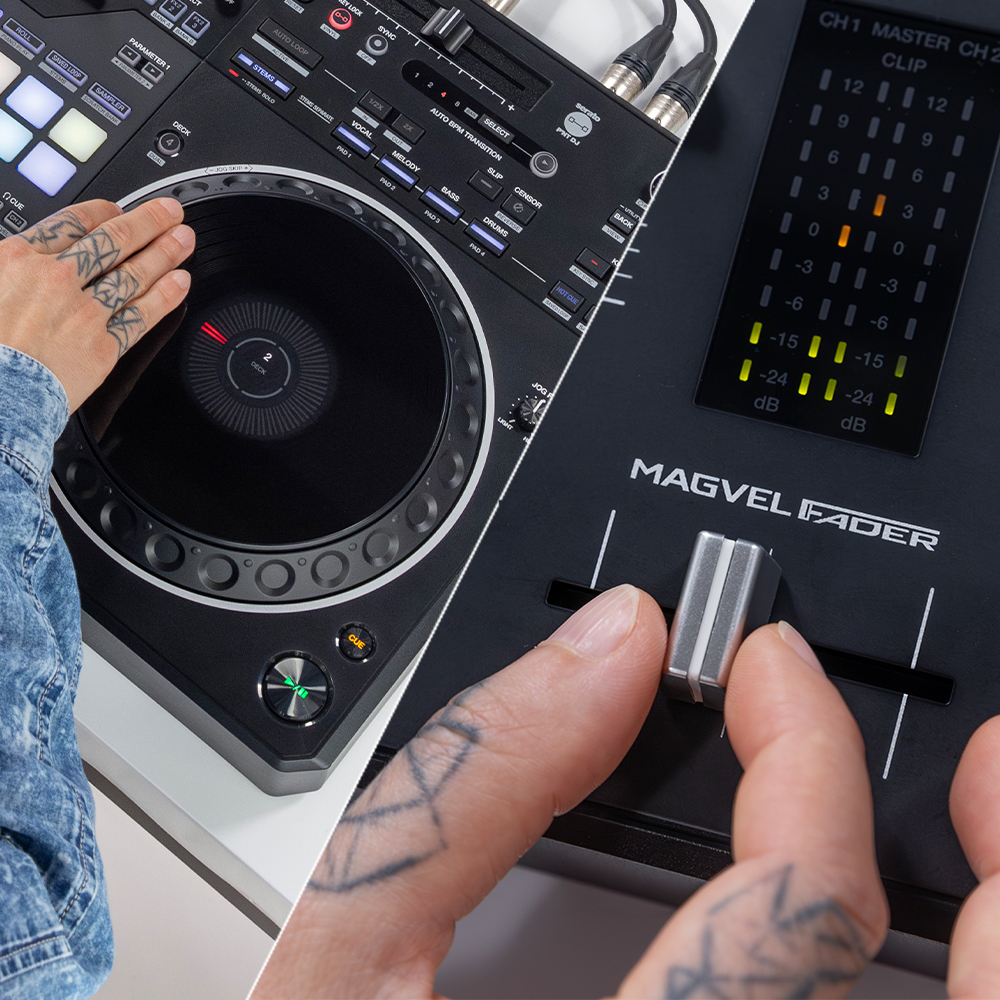
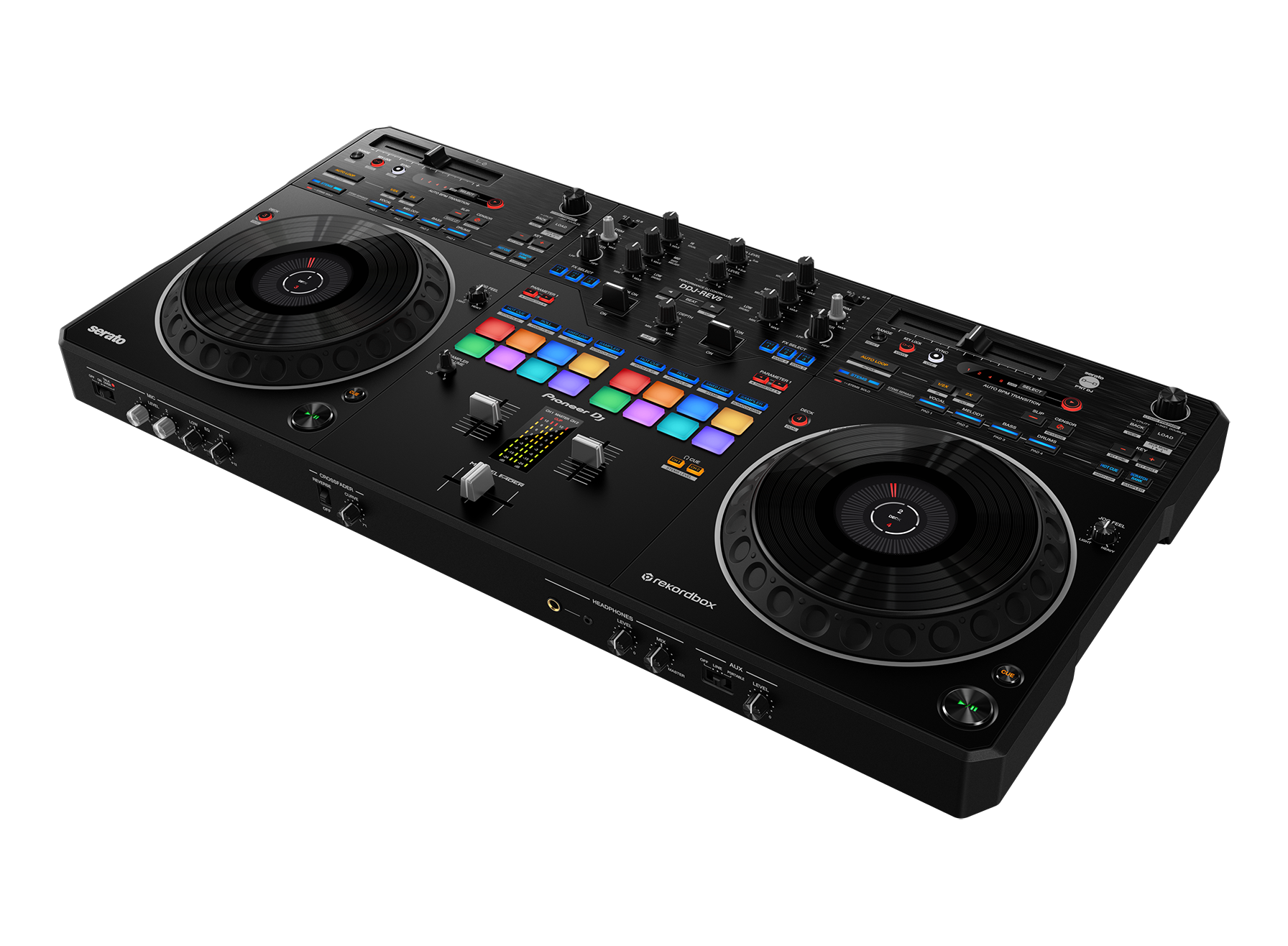
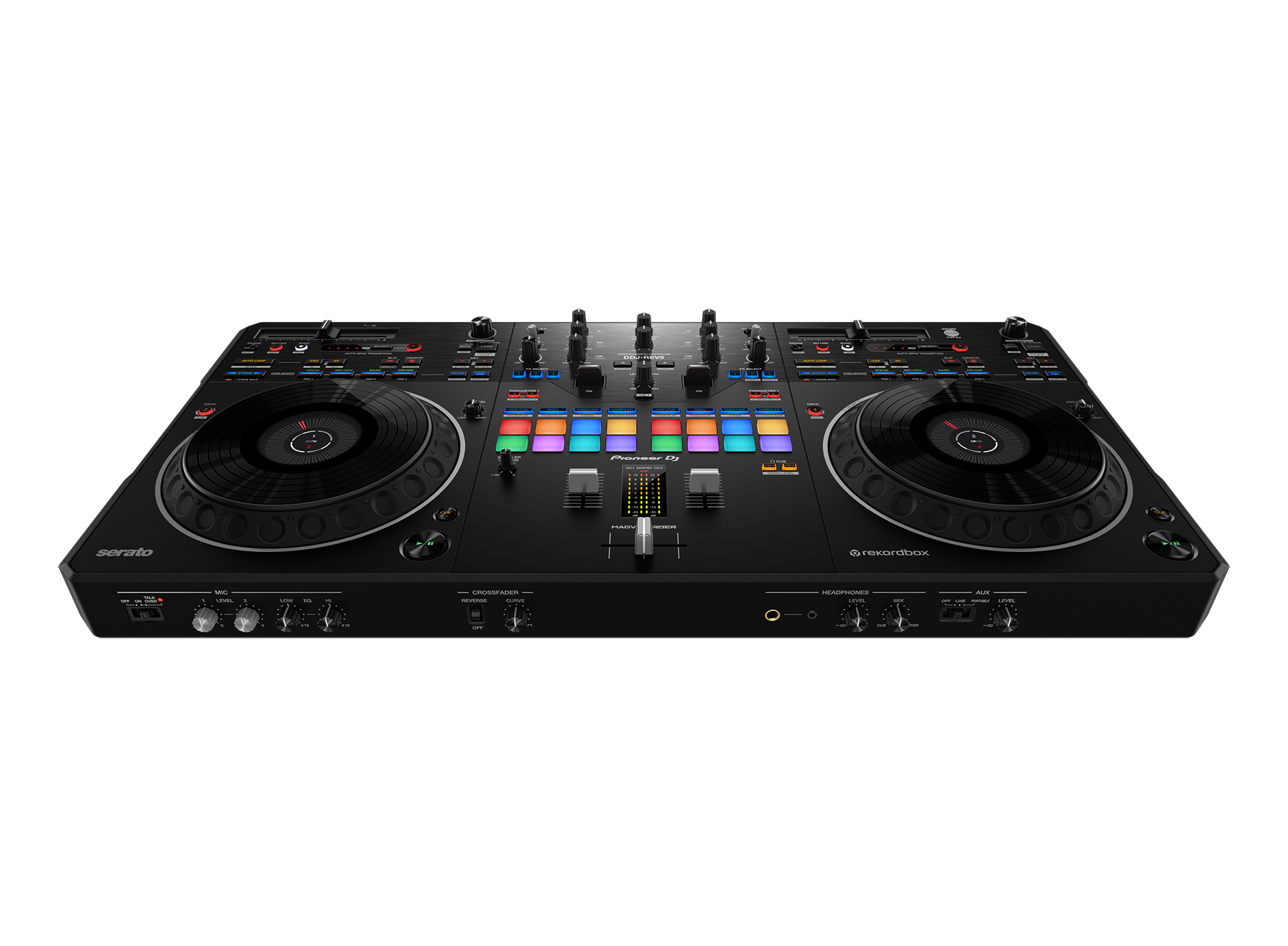
Large jog wheels and MAGVEL FADER for dynamic scratching
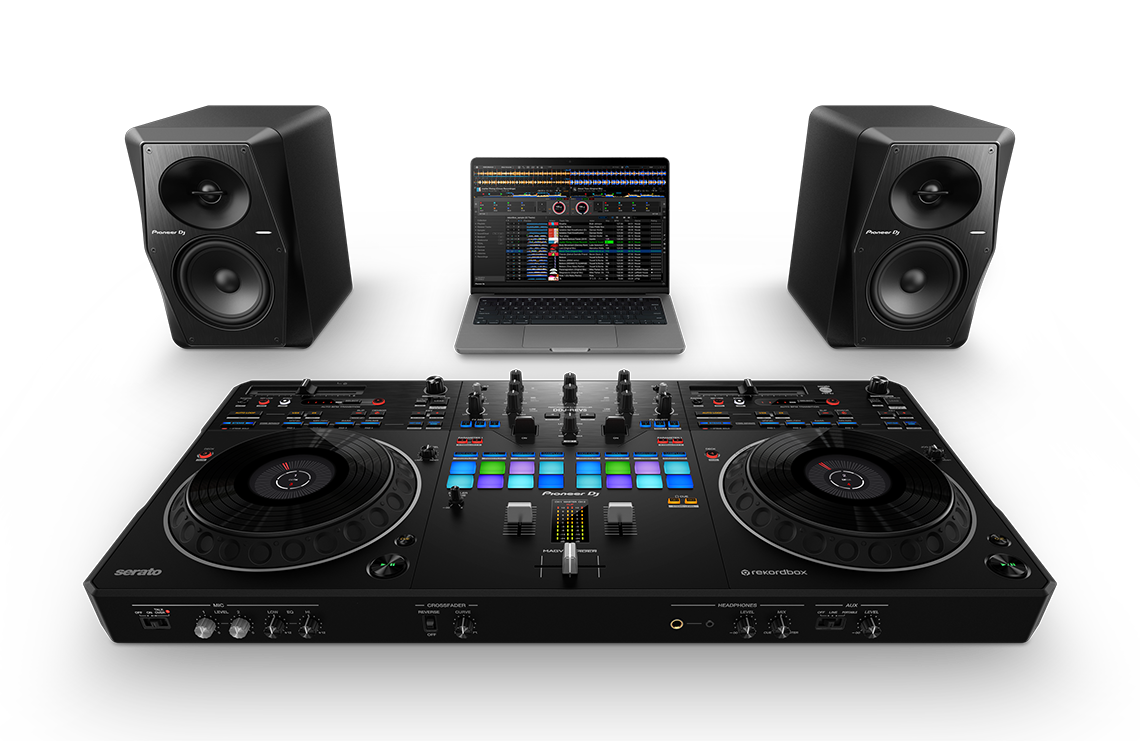
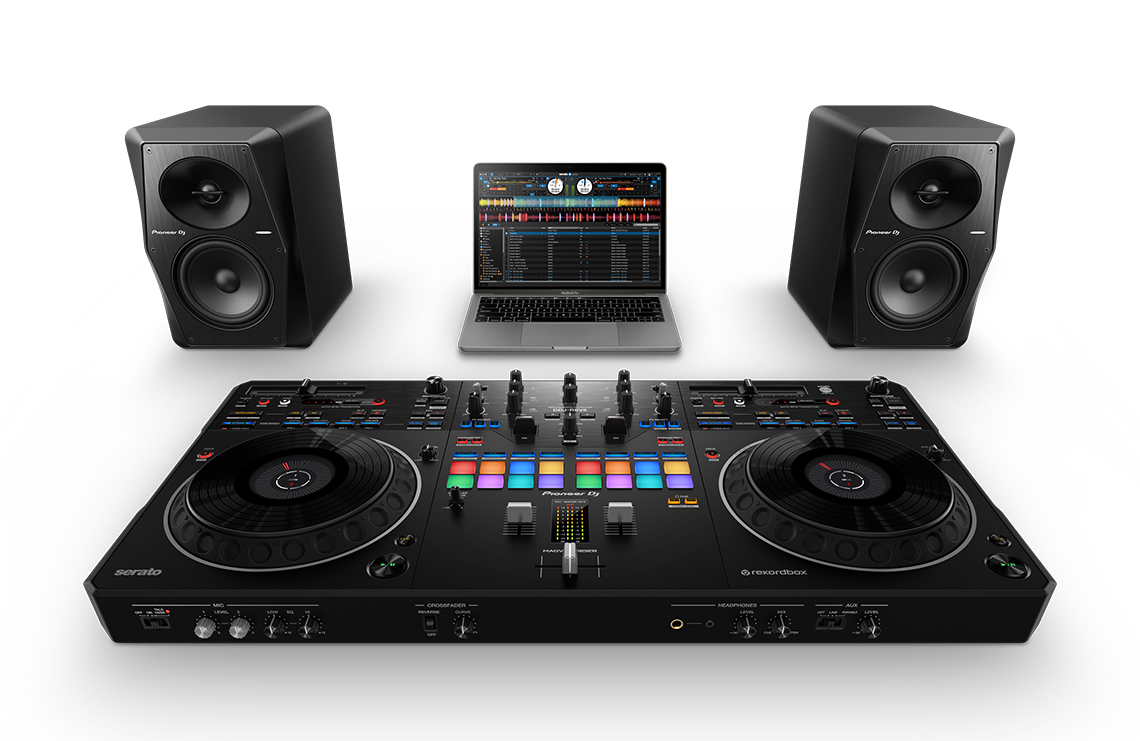
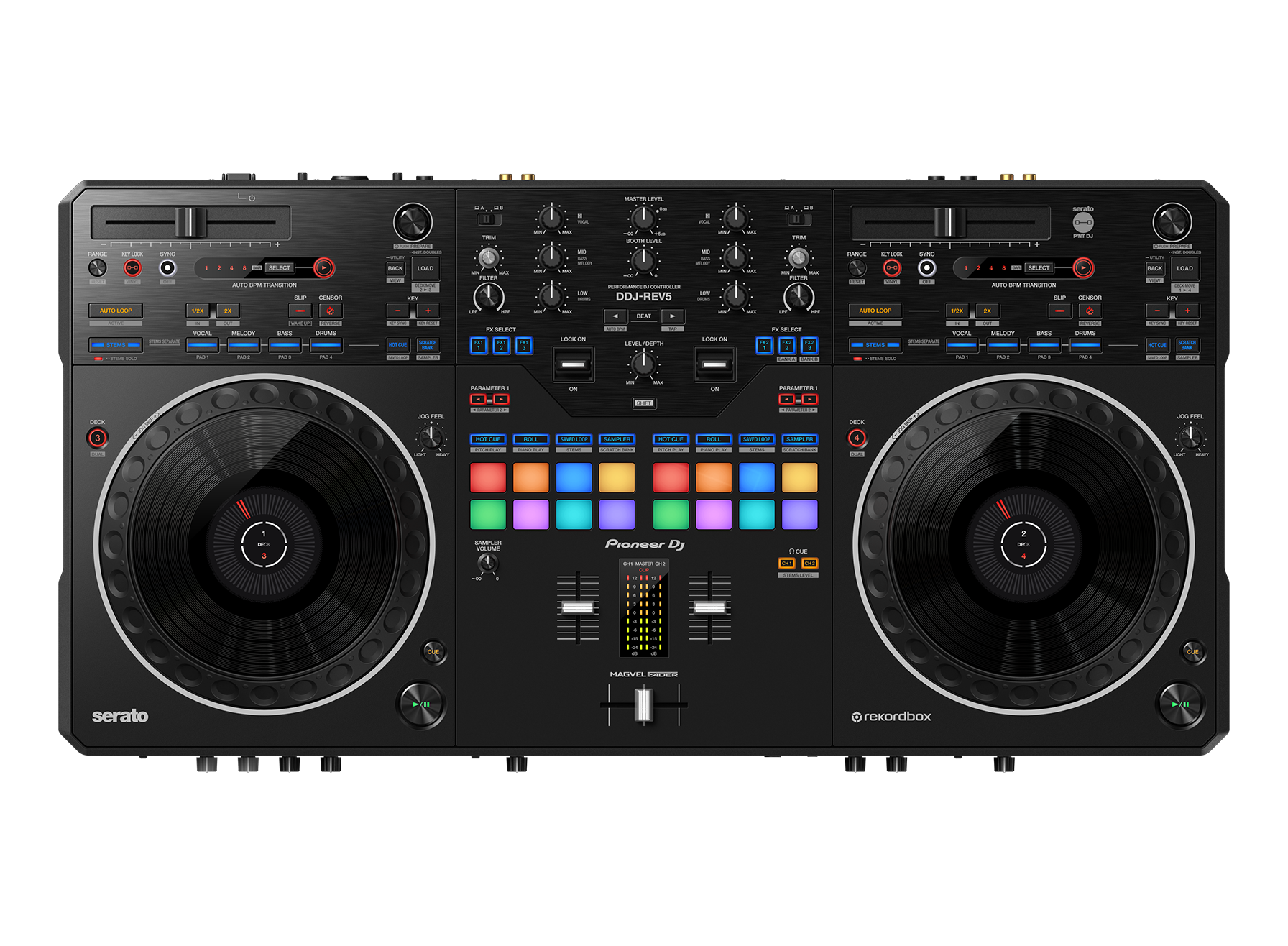
The large jog wheels are responsive, reliable, and easy to operate – with a feel just like those on classic CDJ units – and they each include a display with playhead position so you’ll always know where you are in the track. You can also customize the Jog Feel to find your perfect jog wheel “weight”. The MAGVEL FADER is slick, robust, and ready to translate every tiny movement you make so you can scratch with precision.
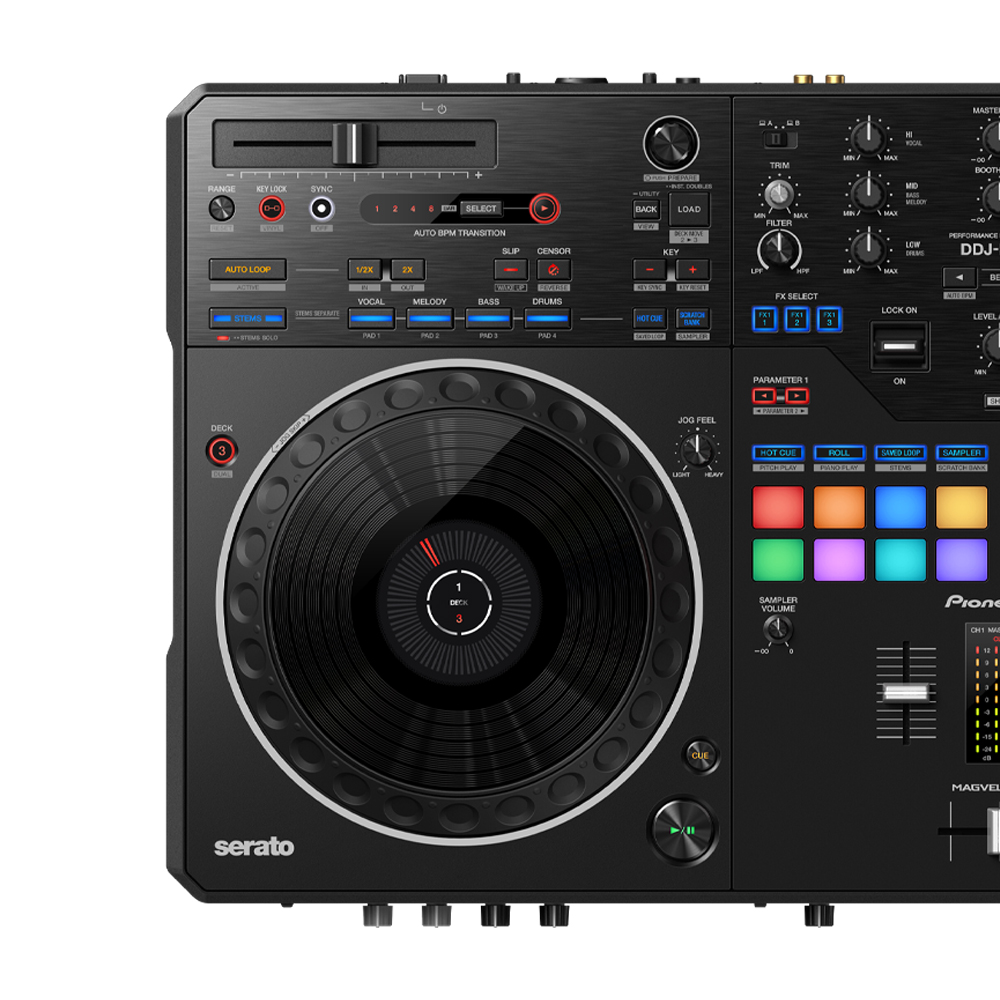
Scratch-style layout for open-format freedom
The long tempo sliders on the DDJ-REV5 run horizontally above the deck sections while the Performance Pads and Lever FX are placed in the mixer section for dynamic performances, emulating the PLX Series deck + DJM-S Series mixer setups loved by open-format DJs around the world. Thanks to the proximity of the pads, levers, and faders, you can fuse scratching with pad play and effects.
Dedicated buttons for easy Stems control
Easily make live mashups and remixes using the Stems buttons on the DDJ-REV5. Your tracks will be split into Stems within the software – vocals, melody, bass, and drums in Serato DJ Pro, or vocal, drums, and inst (other instruments including bass and synths) in rekordbox – which you can play separately.
- Stems Mute/Solo
Solo or mute the different Stems to create your own mashups on the fly. - Stems Separate
Isolate different Stems of a track on separate decks to make live remixes. - Stems Level
Use the EQ knobs to adjust the volume for separate Stems.
You can use the different Stems in combination with Deck Move, so it’s easy to make and control multiple live mashups and remixes at once.
New Auto BPM Transition for smooth mixing
Mixing between musical genres with vastly different tempos is easy with the new Auto BPM Transition. Choose a number of bars for the transition and, when you press the button, the playing track will gradually change tempo to match the one loaded to the other deck so you can seamlessly mix or drop in the new track. You can also set Stems, Auto Loop, and Key Lock control to be applied during the transition.
New Piano Play mode for intuitive musical performances
Just like Pitch Play, you can use the 16 Performance Pads to trigger a cue point in different semitones. But, with the new Piano Play mode, pitch changes are arranged so the pads form a piano keyboard, with the “white” keys on the bottom row and the “black” ones at the top. Choose from 3 scales and, even if you have no knowledge of musical theory or scales, you’ll find it easy to play a tune.
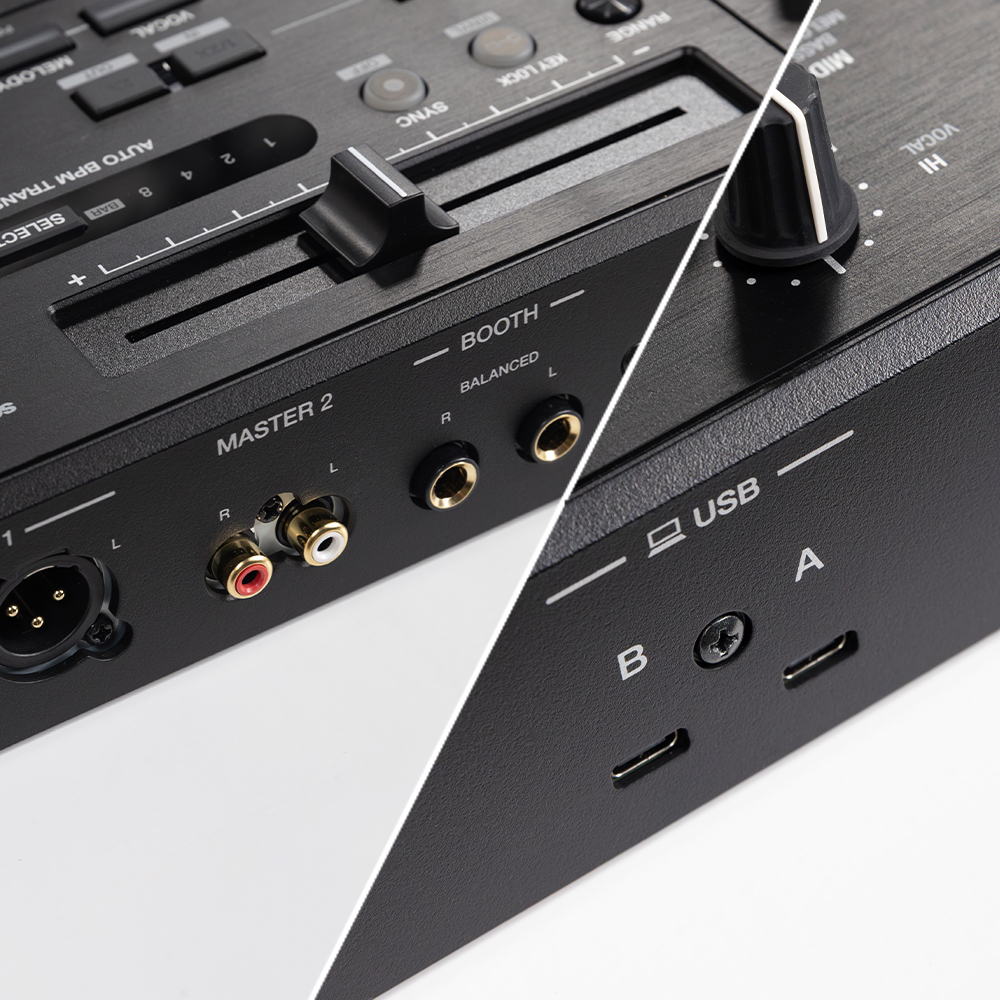
Multiple inputs and outputs plus 2 USB Type-C ports for smooth DJ transitions
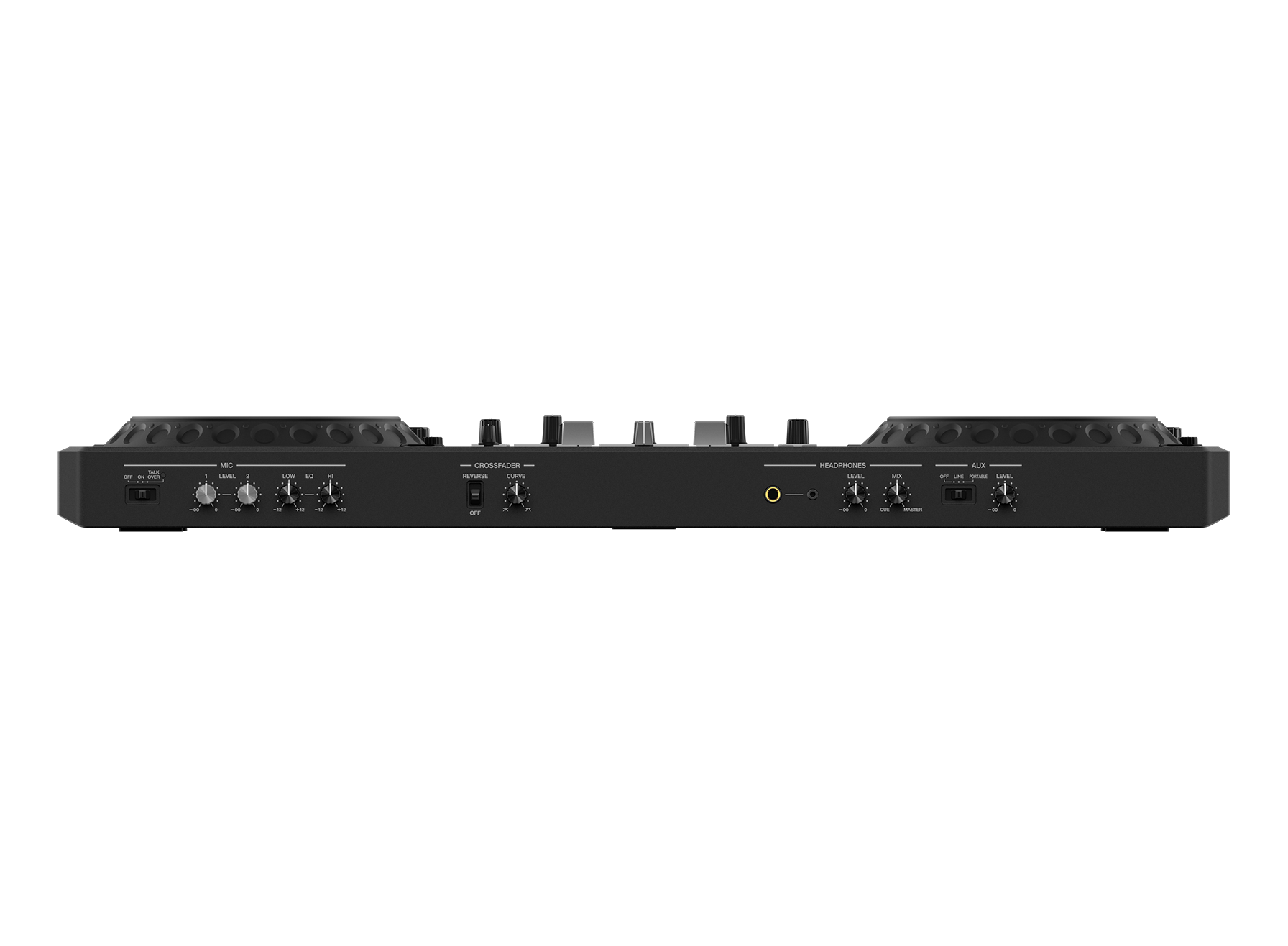
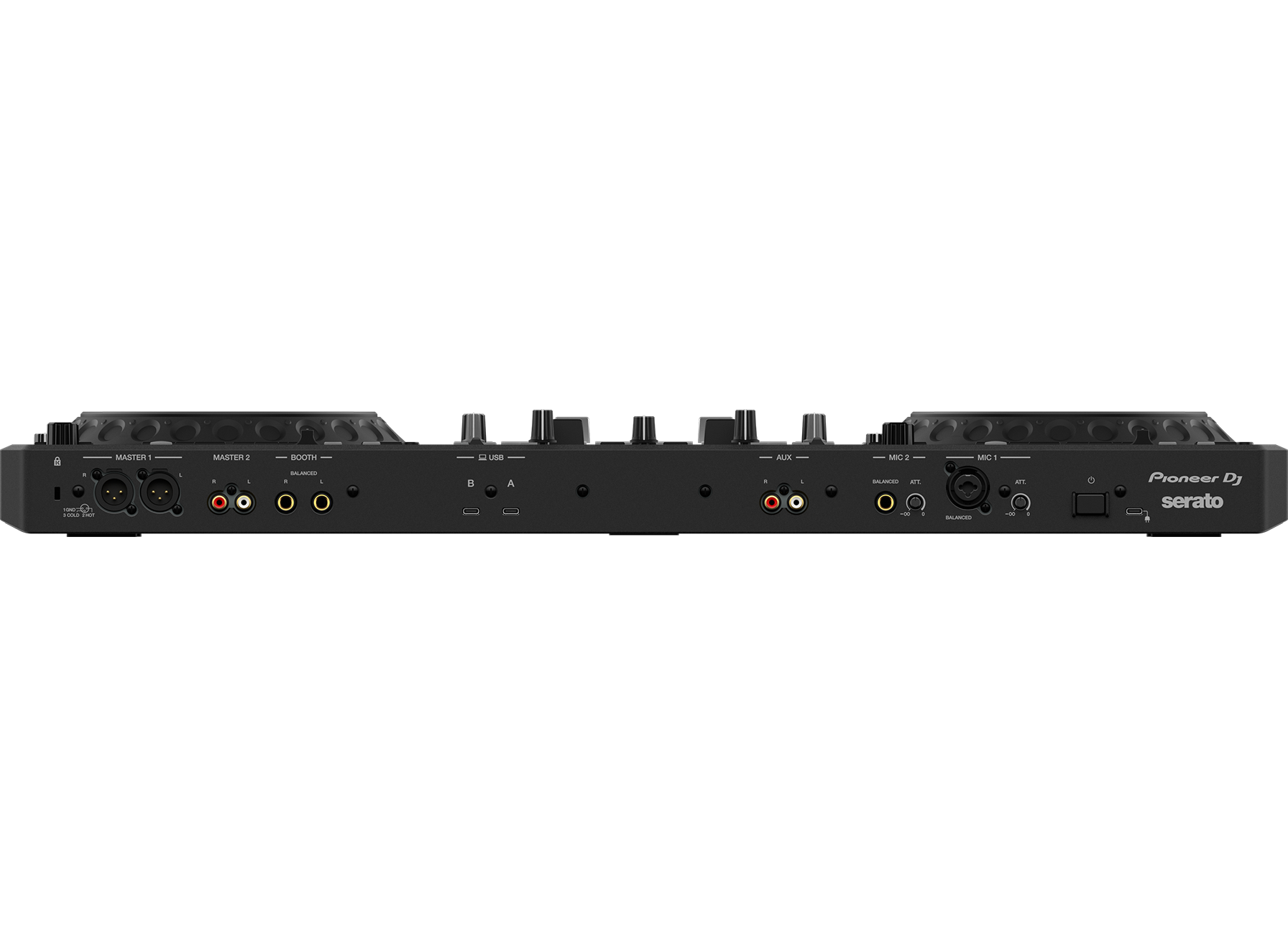
You can use the DDJ-REV5 as the center of a larger setup thanks to its wide variety of inputs and outputs, including an XLR master out that’s perfect for use in professional environments. There are 2 USB Type-C ports for PC/Mac too, making it easy to swap between DJs with a simple flick of a switch on the controller.

Serato DJ Pro and rekordbox plug-and-play compatibility
Choose your favorite software and start DJing right away. You can simply plug the DDJ-REV5 into a PC/Mac running the latest version of Serato DJ Pro or rekordbox to use either application for free – you don’t need a license key or subscription. A voucher for the Serato Pitch ‘n Time DJ expansion pack is also included.

Combo Pad Mode
Use 2 different pad modes at the same time. They’ll be split between the pads on that deck, and you can choose from the Hot Cue Roll, Saved Loop, and Sampler modes.

USB Type-C
Connect your PC/Mac directly to the controller’s USB Type-C terminal with a single cable.

Performance Pads
Hit the 8 back-lit rubber Performance Pads to trigger Hot Cues, Pad FX, Beat Jump, and the sampler.

Pitch ‘n Time DJ
A voucher for the Serato Pitch ‘n Time DJ Expansion Pack is included, which enables key shifting and key syncing with perfect audio quality.

Firmware Update Manager
You’ll be automatically notified when firmware updates become available. You can download the Firmware Update Manager here.
Specifications
AC adapter
Power requirements………………………………………………………AC 100 V – 240 V, 50 Hz/60 Hz
Rated current …………………………………………………………………………………………………….1.2 A
Rated output ………………………………………………………..DC 5 V, 3.0 A/DC 9 V, 3.0 A/DC 12 V,
3.0 A/DC 15 V, 3.0 A/DC 20 V, 2.25 A
General – Main Unit
Power consumption ………………………………………………………………………………. DC 5 V, 3.0 A
Power consumption (OFF)………………………………………………………………………………… 0.3 W
Main unit weight …………………………………………………………………………………. 6.2 kg/13.7 lbs.
Max. external dimensions ……………. (W x D x H) 736 x 377.2 x 73.4 mm/29.0″ x 14.9″ x 2.9″
Tolerable operating temperature …………………………………..+5 °C – +35 °C (+41 °F – +95 °F)
Tolerable operating humidity …………………………………………….5 % – 85 % (no condensation)
Audio Section
Sampling rate………………………………………………………………………………………………….48 kHz
A/D, D/A converter …………………………………………………………………………………………….. 24bit
Frequency characteristic
USB, AUX (LINE/PORTABLE), MIC 1, MIC 2 ………………………………….. 20 Hz – 20 kHz
S/N ratio (rated output, A-WEIGHTED)
USB………………………………………………………………………………………………………..110 dB
AUX (LINE) ……………………………………………………………………………………………… 95 dB
AUX (PORTABLE)…………………………………………………………………………………….. 89 dB
MIC 1………………………………………………………………………………………………………. 81 dB
MIC 2………………………………………………………………………………………………………. 81 dB
Total harmonic distortion (20 Hz – 20 kHzBW)
USB………………………………………………………………………………………………………0.003 %
Standard input level/Input impedance
AUX (LINE) …………………………………………………………………………………..-12 dBu/47 kΩ
AUX (PORTABLE)………………………………………………………………………….-24 dBu/47 kΩ
MIC 1……………………………………………………………………………………………..-57 dBu/3 kΩ
MIC 2……………………………………………………………………………………………..-57 dBu/3 kΩ
Standard output level/Load impedance/Output impedance
MASTER 1 ……………………………………………………………….. +6 dBu/10 kΩ/450 Ω or less
MASTER 2 ……………………………………………………………….. +2 dBu/10 kΩ/820 Ω or less
BOOTH ……………………………………………………………………. +6 dBu/10 kΩ/900 Ω or less
PHONES ……………………………………………………………………… +8 dBu/32 Ω/10 Ω or less
Rated output level/Load impedance
MASTER 1 …………………………………………………………………………………..+24 dBu/10 kΩ
MASTER 2 …………………………………………………………………………………..+20 dBu/10 kΩ
BOOTH ……………………………………………………………………………………….+24 dBu/10 kΩ
Microphone equalizer characteristic
HI………………………………………………………………………………… -12 dB – +12 dB (10 kHz)
LOW …………………………………………………………………………….-12 dB – +12 dB (100 Hz)
Input/Output terminals
MIC input terminal
XLR connector & 1/4″ TRS jack ……………………………………………………………………. 1 set
1/4″ TRS jack …………………………………………………………………………………………….. 1 set
AUX input terminal
RCA pin jacks…………………………………………………………………………………………….. 1 set
MASTER 1 output terminal
XLR connector …………………………………………………………………………………………… 1 set
MASTER 2 output terminal
RCA pin jacks…………………………………………………………………………………………….. 1 set
BOOTH output terminal
1/4″ TRS jack …………………………………………………………………………………………….. 1 set
PHONES output terminal
1/4″ stereo phone jack ………………………………………………………………………………… 1 set
3.5 mm stereo mini jack ………………………………………………………………………………. 1 set
USB terminals
USB Type-C …………………………………………………………………………………………….. 2 sets
Specifications of external power supply (for European Union customers)
Manufacturer’s name ……………………………………………………………AlphaTheta EMEA Limited
Commercial registration number……………………………………………………………………09230173
Address…………………………. Unit 39, Tileyard Studios, Tileyard Road, London, N7 9AH, U.K.
Model identifier………………………………………………………………………………….. FSP045-A2CR3
Input voltage …………………………………………………………………………………. AC 100 V to 240 V
Input AC frequency …………………………………………………………………………………. 50 Hz/60 Hz
Output voltage……………………………………………………….DC 5.0 V/9.0 V/12.0 V/15.0 V/20.0 V
Output current …………………………………………………………………3.0 A/3.0 A/3.0 A/3.0 A/2.25 A
Output power ……………………………………………………..15.0 W/27.0 W/36.0 W/45.0 W/45.0 W
Average active efficiency ………………………………………………………………………………….81.5 %
Efficiency at low load (10 %)……………………………………………………………………………..76.3 %
No-load power consumption ……………………………………………………………………………. 0.06 W
Information requirements of the European Ecodesign Directive
English
• Use the [MASTER 1] terminals for balanced output only. Connecting the terminals to
unbalanced inputs (RCA, etc.) with an XLR-RCA conversion cable (conversion adapter),
etc. results in unwanted noises and/or poor sound quality.
• Use the [MASTER 2] terminals for unbalanced input (RCA, etc.).
• Use the [BOOTH] terminals for balanced output only. Connecting the terminals to
unbalanced inputs (RCA, TS connector, etc.) with a TRS-RCA conversion cable
(conversion adapter) or TS cable, etc. results in unwanted noises and/or poor sound
quality.
The specifications and design of this product are subject to change without notice.
Setup